
There is nothing more frustrating than getting ready for a Rank Game to grind out of Epic, firing up your injector to load that Gusion K’ skin, and—boom. The dreaded White Screen or Stuck Loading loop. You’re stuck staring at a blank phone while your teammates are probably reporting you for AFK. Olats na. (It’s a loss already.)
If you are reading this, your Zolaxis Patcher is not working, and you are looking for a fix, not another fake download button.
Here is the truth: The app isn’t necessarily “broken.” The issue usually lies in how Android handles permissions or how the game files conflict with the patcher. As a tech journalist who has analyzed the code behind these tools, I’m going to show you exactly how to fix it so you can get back to the Land of Dawn.
Key Takeaways: Quick Fixes
- Most Common Cause: “Display Over Other Apps” permission is disabled.
- The “White Screen” Fix: You often need to Clear Cache (not Data!) for the MLBB app to reset the glitched assets.
- Android 11+ Users: The “Scoped Storage” update prevents injectors from writing to the data folder. You need a specific workaround.
- The “Rename Trick”: A pro method to save your game data if you get stuck in a bootloop.
The Technical Reality: Why This Error Happens
Before we fix it, you need to understand why your phone is rejecting the app. It’s not magic; it’s file manipulation.
Zolaxis Patcher works by “injecting” a modified script file into the com.mobile.legends folder on your phone. It replaces the default skin file with a premium skin file.
Think of it like a key and a lock.
Mobile Legends updates its “lock” (the game files) almost every week. Zolaxis Patcher is an unauthorized “key.” If the game updates and changes the lock, but you try to jam the old Zolaxis key in, the mechanism jams. That “jam” is the White Screen or the app crashing.
Solution 1: The “White Screen” Fix (Permissions & WebView)
If you open Zolaxis and getting a white screen immediately, or the menu won’t float, this is usually a permission issue, especially on Vivo, Oppo, and Realme devices.
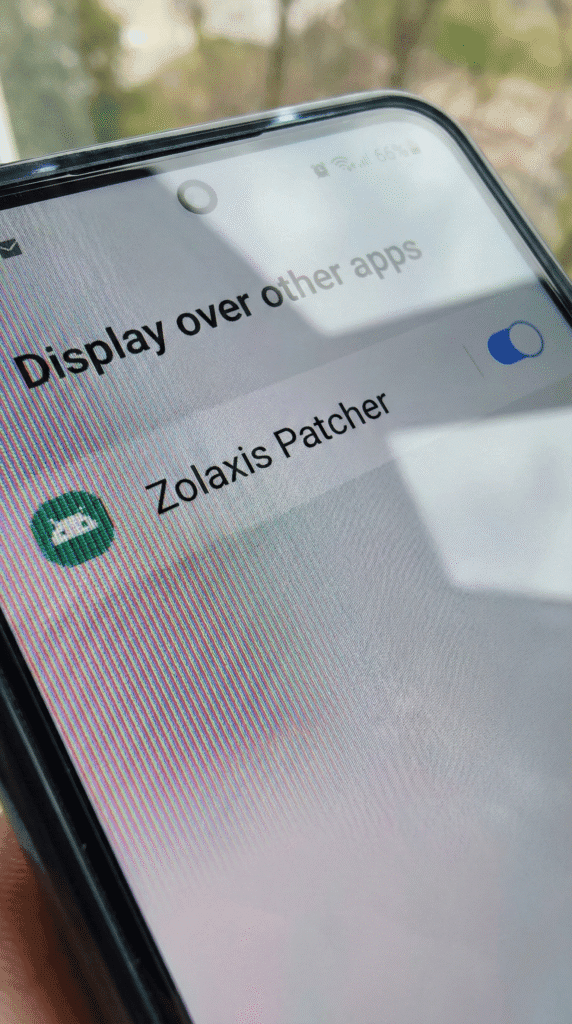
Step 1: Force Enable Overlay
Android requires you to explicitly allow apps to draw over other apps.
- Go to your phone Settings.
- Search for “Display over other apps” or “Draw over other apps.”
- Find Zolaxis Patcher in the list.
- Toggle the switch to ON.
Step 2: Update Android System WebView
Sometimes, the hybrid app crashes because your phone’s internal browser engine is outdated.
- Go to the Google Play Store.
- Search for “Android System WebView.”
- If it says Update, click it immediately. Restart your phone and try Zolaxis again.
Solution 2: Stuck at “Game Loading” (The Cache Clear Method)
If the Patcher opens fine, but the Mobile Legends game itself gets stuck loading at 20% or 60% after you inject a skin, you have a “Hash Mismatch.” The injected file is corrupting the load sequence.
Do NOT reinstall the game yet! You don’t want to re-download 5GB of data using your ML10 promo. Try this first:
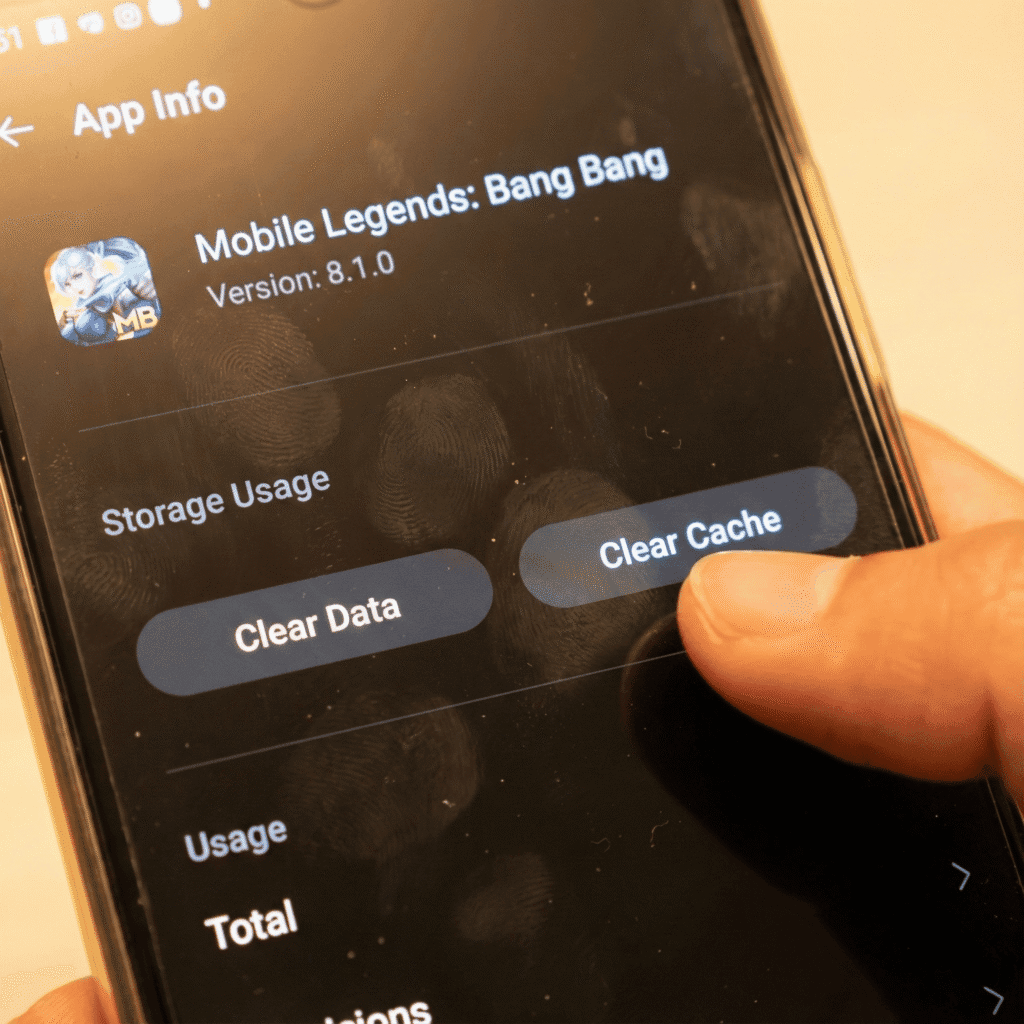
- Long press the Mobile Legends app icon.
- Click App Info.
- Go to Storage Usage.
- Tap Clear Cache.
- WARNING: Do NOT tap “Clear Data.” Clear Data will delete all your resources and you will have to download everything again. Only Clear Cache.
- Open the game without the injector first to see if it loads.
Daniel’s Pro Tip:
If “Clear Cache” doesn’t work, the injected skin file is likely permanent and corrupt. You might need to use the “Restore Default” button inside the Zolaxis app before trying a different skin.
Solution 3: The Android 11/12/13 “Scoped Storage” Block
Are you using a newer phone (Samsung S22, Pixel, newer Redmi)? Android 11 introduced a security feature called Scoped Storage that blocks apps from touching the /Android/data/ folder.
If Zolaxis says “Injection Success” but the skin is not showing in the game, this is the culprit. The app thinks it injected the file, but the Android OS blocked it silently.
How to verify:
- Does the app ask for a permission saying “Use this Folder” at the bottom of the screen?
- If you denied this, the app will never work.
We have a dedicated deep-dive guide for this because it requires a specific setup or a Virtual Space app.
(Read: How to Bypass Android 11 Restrictions for Zolaxis)
Solution 4: The “Rename Trick” (Saving Your Data)
If you are stuck in a serious bootloop and think you need to reinstall, try the Rename Trick first. This is a classic modder technique to save your game files.
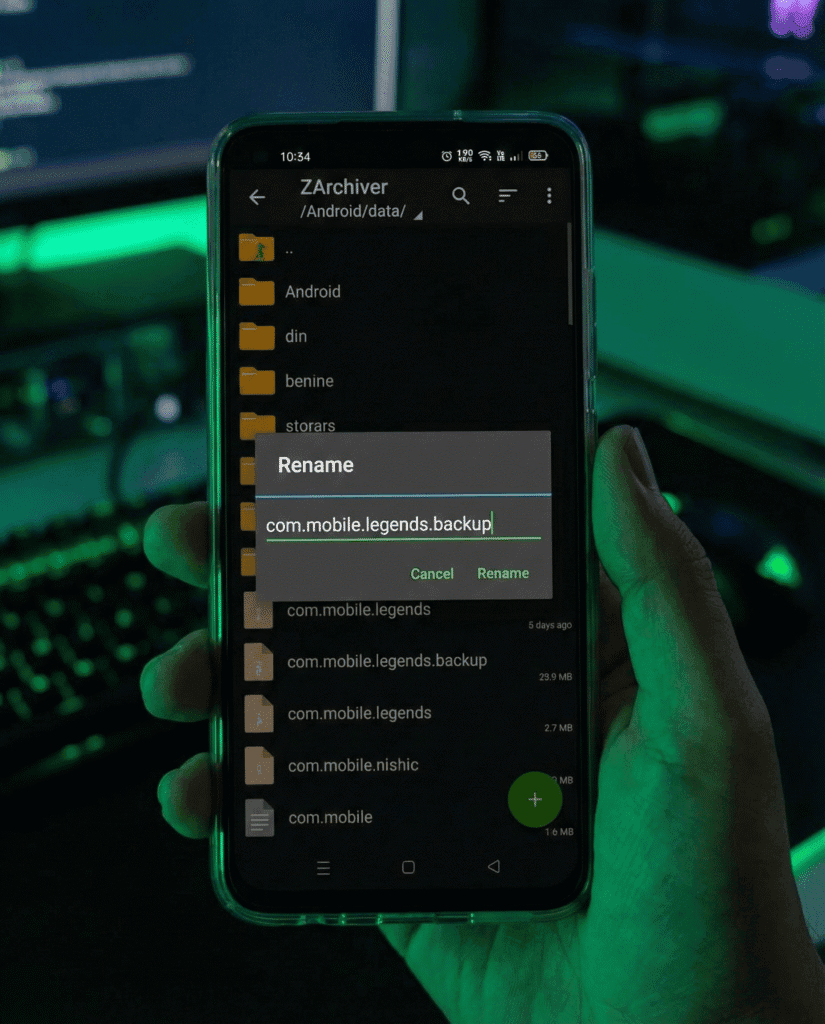
- Open your File Manager (ZArchiver is best).
- Go to
Android > data. - Find the folder
com.mobile.legends. - Rename it to
com.mobile.legends.backup. - Now, go to your App Settings and Uninstall Mobile Legends (Don’t panic!).
- Since you renamed the folder, your 5GB of game data was NOT deleted.
- Reinstall the MLBB APK from the Play Store (it will be a small download, just the base app).
- Go back to File Manager and Rename
com.mobile.legends.backupback tocom.mobile.legends. - Launch the game. You saved your data!
What Most Sites Won’t Tell You (Real Talk)
Look, mga Ssob, I’m not here to lie to you like those spammy download sites. Modding involves risk.
- The “Anti-Ban” Myth: There is no such thing as 100% Anti-Ban. If you use “Drone View” or “Map Hack” features, your chances of getting banned are high (detected by server behavior). Skin injection is safer because it is client-side (only you see it), but it is never zero risk.
- The “Pink Texture” Glitch: Sometimes you will see heroes turn pink. This means the texture file is missing. This usually happens if you inject a skin for a hero you haven’t fully downloaded resources for in the original game. Make sure your “Resource Download” in MLBB is 100% complete before injecting.
Frequently Asked Questions (FAQ)
Is Zolaxis Patcher safe or is it a virus?
If you download it from a legitimate source, it is generally safe from malware, but your antivirus might flag it as a “HackTool.” This is a “False Positive” because the app is designed to hack the game files. However, always check VirusTotal.
(Read: Our Full VirusTotal Analysis)
Why did Zolaxis stop working after the MLBB update?
Every time Moonton updates MLBB (especially big patches like Project NEXT), the file structure changes. The old injector becomes obsolete immediately. You must wait for the developer to release a new version.
(Check: Is there a new version available?)
Can I use this on iPhone?
No, Lods. Zolaxis is an APK (Android Package Kit). iOS does not allow file system access like Android does.
(Read: iOS Alternatives)